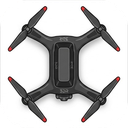
Solo Suite for 3DR Solo
The definitive, all-in-one companion utility for 3DR Solo drones. Update to latest firmware, manage network modes, tune Wi-Fi channels, view calibrations, and perform remote diagnostics.
How to Install in 3 Easy Steps
Power On Your Solo
Turn on your 3DR Solo Copter and Solo Controller. Wait ~60 seconds for the SoloLink WiFi network to broadcast.
Connect to Solo WiFi
On your Windows PC or Android phone, connect your WiFi to SoloLink_XXXXXX (Password: sololink).
Launch Solo Suite
On Windows, extract the ZIP and double-click SoloSuite.exe. On Android, open the Solo Suite app. Follow the guided on-screen wizard.
🧭 Calibration & Ground Control Guide
After installing Open Solo 4, connect your device to SoloLink WiFi and calibrate your sensors using your preferred Ground Control Station (GCS) app:
Mission Planner (Windows)
Comprehensive ArduPilot ground station for PC with full wizard-based calibrations, parameter editor, and flight logs.
Solex (Android)
Custom-built 3DR Solo Android application featuring built-in compass and IMU calibration wizards, HD video streaming, and Smart Shots.
QGroundControl (QGC)
Modern, cross-platform ground control station for Windows, Mac, Linux, Android, and iOS with step-by-step visual calibration.
SidePilot (iOS)
Full ArduPilot and Solo telemetry, voice feedback, mission planning, and calibration app designed specifically for iPhone and iPad.
Key Features & Capabilities
PreFlight & Firmware Update
Complete clean-install firmware upgrade workflow for Open Solo 4.0.0 and ArduCopter 4.7.1 (Stock Cube and Green Cube), automatically performing the PreFlight Update.
ArduCopter 4.7.1 Support
Bundles latest ArduCopter 4.7.1 with enhanced stabilization, GPS fixes, EKF3 improvements, and performance tuning.
Factory Reset Recovery Sync
Updates both copter and controller factory reset recovery partitions to Open Solo 4, ensuring recovery remains modern and permanent.
Real-Time Live Progress
Interactive interface streaming live SCP upload percentages, SSH installation logs, and reboot timers straight to your screen.
Network Mode & Home Wi-Fi
Switch between Standalone AP, One-Way (Solo Internet), and Two-Way (Full Bi-Directional Bridge with automatic routing) for seamless home Wi-Fi and field operation.
2.4 GHz Wi-Fi Channel Switcher
Easily switch SoloLink Wi-Fi channels (1, 6, 11) with automatic MD5 checksum recalculation to eliminate GoPro Wi-Fi interference.
Remote Diagnostics & Shell
Execute instant controller hardware diagnostics (interfaces, disk usage, memory, active services) and remote Linux commands with dedicated output viewer.
Compass & IMU Calibration Guide
Integrated step-by-step guidance for post-install sensor calibrations and direct download links for Mission Planner, Solex, QGC, and SidePilot.